
Video Downloader: All HD
jack_tlVideo Players & Editors
0.00.00 Reviews
- Version
- 1.32.0
- Installs
- 100.00K
- Age Rating
- Everyone
Screenshots
Our Review of Video Downloader: All HD
 Analysis by Appyee
I tried Video Downloader: All HD as a practical tool rather than as a novelty, because downloading a video usually begins with a very ordinary problem: I want to watch something later, keep a useful clip available offline, or save a reel or story before it disappears. The app is built for that moment. It belongs to the video players and editors category, it is free to install, and its focus is much narrower than a full editing suite. That narrow purpose is also its main appeal.
Created by jack_tl, the app presents itself as a straightforward way to handle HD videos, reels, and stories. In my experience, that makes it easier to understand than apps that combine downloading with trimming, filters, social feeds, and complicated media libraries. I open it expecting one job: move a video from an online source into a file I can access on my device. When that handoff works, the simplicity feels useful rather than limited.
Video Downloader: All HD is free, although optional in-app purchases range from $1.99 to $19.99 per item. It is rated for Everyone, requires Android 7.0 or later, and its current version is 1.32.0. Those details matter if you are using an older phone or deciding whether a free download tool fits your needs. The app has passed 100K installs, which suggests it has found a real audience without making it one of the huge, universal video platforms.
From finding a video to having it ready
I like to think of the download as only one part of the job: first I need to find a source the app can accept, then make sure the finished file is easy to locate and use. That perspective helps set realistic expectations about speed, because a slow handoff or an unstable connection can matter as much as the downloader itself.
The starting condition: what I need before opening it
The most important part of the workflow happens before the downloader itself. I first decide whether I have the right to save the material and whether I actually need a local copy. A public video is not automatically free to redistribute, and downloading someone else’s work for personal viewing is different from reposting it. The app makes saving a file convenient, but it does not make copyright or platform rules disappear.
I also think about the final destination. If I only need to watch a clip once, streaming may be simpler. If I am travelling, working with an unstable connection, or keeping a reference video for a project, a local file has a clearer purpose. This distinction prevents the common mistake of filling the phone with downloads that seemed useful for five minutes.
For a normal day-to-day example, imagine that a friend sends me a short recipe video while I am commuting. I want to watch it later in a place with poor reception. Instead of repeatedly reopening the social app, I use the shared video as the starting point, let the downloader process it, and then check the saved result before my journey continues. That is the kind of small, practical task where this app makes sense.
Step one: bringing the source into the app
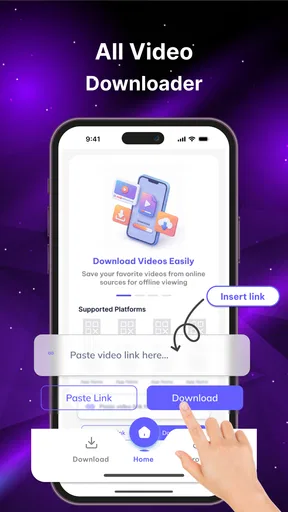
The first handoff is from the original video service to Video Downloader: All HD. In a typical workflow, I copy or share the video source into the downloader, depending on what the originating app allows. This is where expectations need to stay realistic: the downloader can only work with a source it can receive and process. A broken share action, a private post, an expired story, or a service that changes its access rules can stop the process before the file is created.
I prefer to check the source first rather than repeatedly pressing download. If the video plays normally in its original location, I confirm that I am using the intended post and then send that source to the downloader. This simple check avoids saving a preview, a low-quality duplicate, or the wrong item from a page containing several clips.
The app’s focused design helps here. There are fewer distractions than in a general media application, so the action I am looking for is clear. At the same time, a dedicated downloader is not the same as an integrated browser. If I expect to search every platform, manage accounts, and download from any page without leaving the app, I may find the workflow less seamless than I imagined.
Step two: choosing the version that fits the job
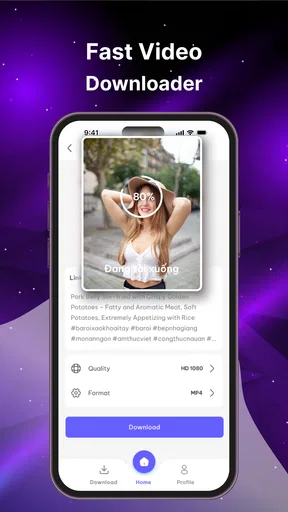
Once the source is accepted, I treat the available quality as a decision rather than automatically choosing the largest file. HD is attractive when I want a clean picture on a larger screen, but it also consumes more storage and can take longer to transfer. For a quick reference clip, a smaller option may be perfectly adequate. For a detailed tutorial or footage I intend to inspect closely, preserving higher quality is more sensible.
This is one of the app’s useful trade-offs: convenience does not remove the need to choose responsibly. I leave extra space on the phone before starting a large download, especially if I have already saved several stories or reels. A failed transfer is frustrating, but a successful download that fills the device can create a different problem immediately afterward.
I also avoid judging quality only by the label. A source recorded in low resolution cannot become genuinely sharper just because I select an HD option. The downloader can preserve what the source offers; it cannot recreate detail that was never there. That is a small but important distinction for anyone expecting a dramatic improvement in blurry or heavily compressed footage.
Step three: waiting for the transfer and checking the outcome
The transfer stage is where patience matters most. I keep the app open long enough to see that the process has completed, particularly when the file is large or the connection is inconsistent. Starting a download and immediately switching between several demanding apps is a poor test of any downloader because interruptions can come from the phone, the network, or the original service.
Afterward, I open the saved video rather than assuming that a completed-looking action means the file is usable. I check whether the picture is clear, whether the sound is present, and whether the clip begins and ends where I expected. This quick inspection catches practical problems before I leave Wi-Fi or need the video urgently.
The result is most useful when I organize it immediately. I rename files when the original title is vague, and I move important clips into a folder that matches their purpose. A downloader can put media on the device, but it cannot replace a simple filing habit. Without that handoff into a sensible folder or gallery location, saved videos become difficult to find, especially after collecting several short social clips.
The handoffs that decide whether it feels easy
There are really three transfers in this workflow. First, the source moves from the social or video service into the downloader. Second, the downloader writes the media onto the phone. Third, I move from the downloader’s completed action to the gallery, file manager, or another app where I will actually use the video. The first and third handoffs are easy to overlook, yet they often determine the experience more than the download button itself.
For example, I might save a tutorial and then need to send it to a tablet, attach it to a private work message, or keep it beside other reference material. In that situation, I check how clearly the file is exposed to the rest of the device. If I cannot find it quickly, the download has technically succeeded but practically failed. My advice is to test one unimportant clip first and learn where the app places completed files before relying on it for something important.
Another useful habit is separating temporary downloads from permanent ones. I use a temporary folder for clips I plan to watch once and a dedicated folder for material I expect to keep. This reduces clutter and makes storage decisions easier. It also prevents a common misunderstanding: saving a video locally does not mean it will automatically appear in every editing or messaging app in the exact place I expect.
Where the workflow is genuinely strong
Video Downloader: All HD works best when the task is direct and the source is cooperative. I like it for saving a short clip before a flight, keeping a story available for later viewing, or collecting a few visual references while researching a personal project. Its free entry point makes it easy to try without committing to a subscription first, while the Everyone rating keeps its intended audience broad.
The app is also a better fit for someone who dislikes feature-heavy tools. A full video editor may offer cutting, captions, transitions, and export controls, but those extras can slow down the simple act of obtaining a file. Here, the value is the reduced distance between “I found this video” and “I can watch it offline.” That is not glamorous, but it is exactly what many people need.
Its current version, 1.32.0, is another reason I would use it as a focused utility rather than judging it by the standards of a professional production application. I expect a downloader to help me acquire and inspect media. I do not expect it to replace a desktop editor, a cloud archive, or a full media-management system.
Where the flow breaks
The biggest weakness is that the app depends on a chain it does not fully control. Online platforms can change how links, reels, stories, or protected posts are delivered. A source may be visible in one app but not transferable into another. When that happens, the downloader may appear less capable even though the obstacle begins upstream.
Private or restricted material is another clear boundary. I would not choose this app expecting it to bypass access controls, and I would avoid any workflow that requires someone else’s login details or questionable permissions. If the original service does not make a video available for this kind of saving, the responsible choice is to use its built-in offline or save options when available.
There is also a quality-versus-storage compromise. Keeping every clip in the highest available quality sounds ideal until the phone becomes crowded. On a device with limited free space, I would download only what I plan to use soon, review the result, and remove duplicates. People who need automatic backup, tagging, or a searchable archive may be better served by a file-management or cloud-storage workflow after the download is complete.
Optional purchases deserve attention as well. The app is free, but the presence of individual purchases means I would read each purchase screen carefully before confirming anything. I would not assume that every useful function is included in the free experience, nor would I pay simply to solve a problem caused by an unsupported source. First I would verify that the app handles my normal workflow; only then would I consider whether an optional purchase adds enough value.
Who should use it, and who should skip it
I recommend it to Android users who regularly need local copies of short online videos and prefer a dedicated, uncomplicated tool. It is especially suitable for occasional offline viewing, collecting reference clips, and saving media that I have permission to keep. Someone using an older compatible phone may also appreciate that the minimum requirement is Android 7.0 rather than a recent operating system.
I would steer professional editors toward a different setup if they need precise codecs, batch processing, project folders, metadata control, or dependable transfers into a production pipeline. I would also suggest another option to anyone who mainly wants to watch videos offline from a particular subscription service, because that service’s official offline feature is usually more predictable and better aligned with its own content rules.
It is not the right choice for someone seeking a universal solution for every website, nor for a user who expects downloaded files to be automatically organized, backed up, and synchronized across devices. In those cases, a platform’s official save function, a cloud-storage workflow, or a dedicated media manager may create fewer handoffs and fewer surprises.
My practical verdict after using the full workflow
I judge Video Downloader: All HD by what happens from source to usable file, not by the download button alone. When I begin with an accessible video, choose a sensible quality, allow the transfer to finish, and verify the saved result, the app provides a convenient route to offline viewing. Its focused purpose is its strongest quality, and the free installation lowers the risk of testing it for a specific need.
At the same time, I would keep my expectations grounded. It cannot guarantee access to every platform, turn poor source material into sharp footage, or replace a proper media library. The most reliable results come from using it with content that is openly accessible, checking the file immediately, and treating storage as part of the workflow rather than an afterthought.
For my own use, that makes it a worthwhile utility rather than an all-purpose video solution. If your everyday problem is “I need this particular clip available on my phone later,” I think it is worth trying. If your problem is “I need a complete system for editing, archiving, syncing, and managing video,” I would look beyond it. The best reason to install it is a clear, modest job: turn an accessible online video into a file you can actually use offline.
Verdict
Strengths of Video Downloader: All HD
- Supports downloads in multiple video resolutions, including HD options.
- Simple interface makes it easy to find and save videos quickly.
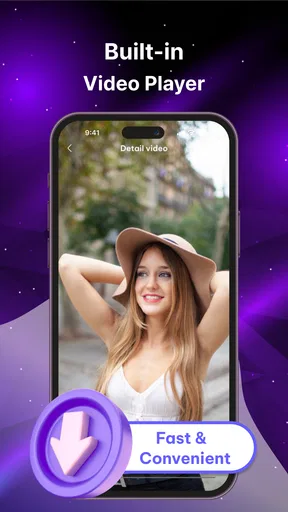
- Built-in video player lets you watch saved files without another app.
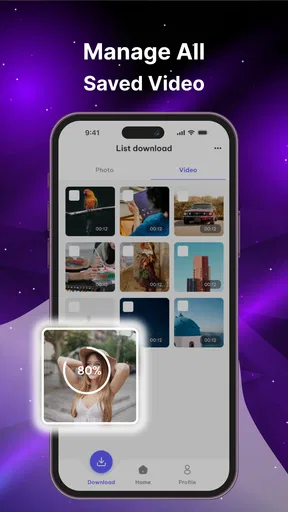
- Download management helps monitor progress and organize saved videos.
- Useful for offline viewing when internet access is limited or unavailable.
Limitations of Video Downloader: All HD
- Some websites may not be supported or may restrict video downloads.
- HD files can consume significant storage space on your device.
- Download speed depends heavily on your internet connection and source site.
- Frequent ads may interrupt navigation or the downloading process.
- Downloaded videos may have format or playback limitations on some devices.
Similar Picks in This Category
View All
Google TV
Google LLC3.9

iTunes
Apple4.7

YouTube
Google LLC3.8

MX Player
Amazon Mobile LLC4.2

CapCut - Video Editor
Bytedance Pte. Ltd.3.5

PLAYit-All in One Video Player
PLAYIT TECHNOLOGY PTE. LTD.4.5
Frequently Asked Questions
What is Video Downloader: All HD used for?
Video Downloader: All HD is designed to help users save online videos to their device for later viewing. Depending on the website and the type of content, you may be able to browse supported pages, detect downloadable media, and choose an available video quality. Its usefulness depends on platform compatibility, internet speed, storage space, and the permissions required by your Android or iOS device.
Is Video Downloader: All HD free to download and use?
The application may be available as a free download, but some features can be limited by advertisements, in-app purchases, subscriptions, or device-specific restrictions. Before installing, check the official store listing for the current pricing details. It is also worth reviewing the subscription terms carefully, especially if advanced downloading options, an ad-free experience, or higher-quality video saving require payment.
Can I download videos from YouTube, Instagram, TikTok, or other social platforms?
Compatibility can vary considerably between services. Many platforms restrict direct downloading, use protected media formats, or prohibit saving content outside their official applications. Video Downloader: All HD may work with some publicly accessible websites, but it should not be assumed that every social network or streaming service is supported. Always follow each platform’s terms and download only content you are authorized to save.
Where are downloaded videos stored, and can I watch them offline?
Downloaded files are generally saved in the application’s folder or in a location selected through the device’s file manager, although the exact behavior can differ between Android and iOS. Once a video has been successfully saved as a standard file, it may be available without an internet connection. Make sure you have enough storage and check whether the app provides options to rename, move, or delete downloads.
Is Video Downloader: All HD safe and legal to use?
The safest approach is to install the app only from a trusted official store and review its developer information, permissions, privacy policy, and recent user feedback. Downloading a video is not automatically legal simply because the app can do it; copyright, privacy, and platform rules still apply. Avoid saving or sharing protected content without permission, and be cautious if the app requests unnecessary access to personal data.
